
Set up in minutes
Tablet kiosk
Download the kiosk app, link it to the location and it is ready to take punches.
Alobri Time is Alobri's online time clock for the United States. Turn a tablet into an attendance kiosk for every branch, store or plant: face or PIN punches, offline mode and central control of all locations. It runs on the app, a tablet or the web portal, is set up the same day and sends every punch to the cloud so HR and payroll work with reliable data.
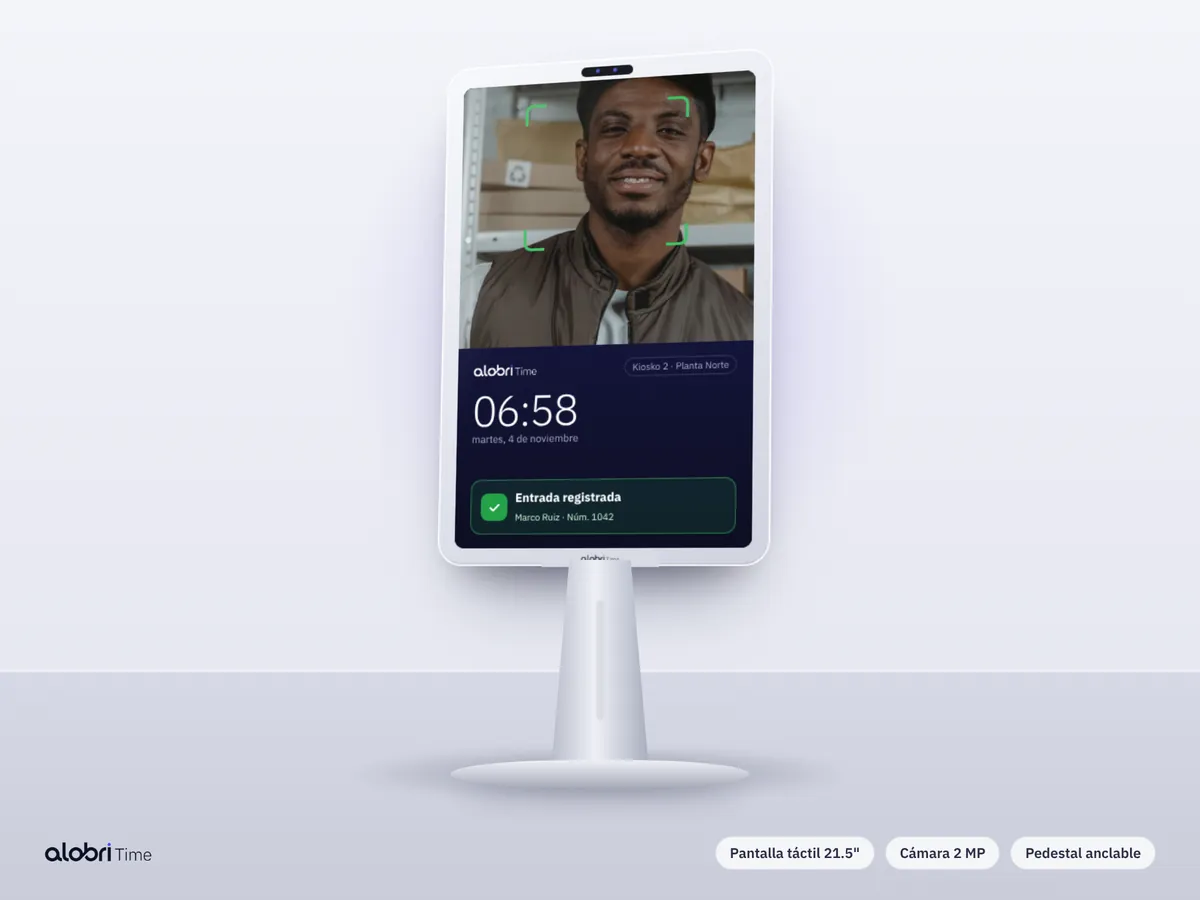
Turn a tablet into an attendance kiosk for every branch, store or plant: face or PIN punches, offline mode and central control of all locations.
Here you will see what it includes, which businesses it suits, how to implement it step by step, what the rules are and what it costs. If you would rather see it live, book a demo or message us on WhatsApp and a specialist will walk you through the platform.
Legacy time clocks break, do not connect to payroll and force manual file downloads. A tablet kiosk costs a fraction, installs in minutes and sends every punch to the cloud instantly.
These are the main capabilities; all are included in Alobri Time and are turned on according to each role's or location's rules.
Tablet kiosk
Download the kiosk app, link it to the location and it is ready to take punches.
Tablet kiosk
Stores punches when the internet fails and uploads them as soon as the signal returns.
Tablet kiosk
Every kiosk reports to the same dashboard, with filters by location, department and shift.
Tablet kiosk
We suggest tested tablets and stands, or ship ready-to-use devices.
The dashboard shows today's attendance by location with color codes: green for on time, amber for late and red for absent. At period close you see, per person, days worked, overtime, late arrivals, absences and exceptions, with the detail and evidence of every punch. Supervisors can drill down from any number to the individual record, add a note, approve or correct it, and every change is saved with who made it and when, so payroll, HR and auditors always see the same version of the truth.

These are the situations where US employers get the most value. Alobri Time works the same for 20 or 20,000 employees.
One kiosk per store with high staff turnover.
Several kiosks per plant to avoid lines at shift change.
Fast punches for on-call and rotating shifts.

A specialist reviews your headcount, locations and shifts and the best punch method for each role.
Upload employees from a spreadsheet and define locations, geofences, shifts and grace rules.
Mobile app, tablet kiosk with facial recognition or web portal, by role.
Every punch reaches the cloud instantly and the dashboard shows who arrived, who is missing and who is on overtime.
Review exceptions, approve overtime and download data ready for payroll.
Tell your team how and why attendance is recorded, get written consent before using biometrics or location, and limit access to those who need it. Alobri Time reads location only at the punch, never tracks people during the day and logs every adjustment.
Alobri Time adapts to how US companies work and to the rules that apply. These are the points employers ask about most.
In the United States this is usually called an online time clock, and each record is a punch. Alobri Time prepares the data payroll needs, including FICA considerations, and serves companies in Nueva York, Los Ángeles, Chicago, Houston / Dallas and every other state.
States such as Illinois (BIPA), Texas (CUBI), Washington and Colorado regulate employee biometric data, and New York, Connecticut and Delaware require written notice before electronic monitoring such as GPS. Alobri Time lets you capture and store written employee consent.
TalentIA, the platform's artificial intelligence assistant, answers setup questions, summarizes period attendance and flags unusual tardiness or overtime patterns.
Every punch is checked against the geofence, face and assigned shift; anything that does not match is flagged for review instead of being paid unchecked.
Export to your payroll system or connect to Alobri HCM payroll and employee records, and use the API for your own analysis.
Encrypted connection, privacy notice, consent for biometrics and location, role-based access and change logs.
No hardware to install: the app and tablet kiosk are set up in minutes.
Rules per country, local currency and WhatsApp support during your business hours.
Overtime, tardiness and exceptions calculated and ready to pay.
Grow into payroll, employee records, recruiting and assessments in the same account.
You pay a base fee per company plus a price per active employee per month, with a 20-employee minimum. No hidden discounts and no free plan: you can try the platform for three days with TalentIA before subscribing.
From USD 2.06 per employee / month
GPS and geofencing app, tablet facial recognition, web portal, shifts, exceptions and reports.
From USD 3.20 per employee / month
Everything in Alobri Time plus overtime, tardiness, absences and breaks ready for payroll.
From USD 6.57 per employee / month
The suite with payroll included.
USD 15 per company / month
Added to any plan.
Prices exclude taxes and are billed in US dollars.
Tell us your headcount and locations and a specialist will contact you today. After you submit, pick a day and time for a 30-minute video call.
Yes, as long as it has a front camera and a recent version of Android or iPadOS.
One kiosk comfortably handles hundreds of people per shift; for very large shift changes, add more than one.
A base fee per company plus a price per active employee per month, with a 20-employee minimum, starting at USD 2.06 per employee.
Most companies start punching the same day; with many locations and special rules, within a few days.
No. Use the mobile app, a tablet kiosk or the web portal.
Yes. Book a demo with a specialist or start the three-day TalentIA trial.
Leave your email or WhatsApp and we will send you access to the 3-day TalentIA trial and an implementation guide.